Google Review Policy Terms Explained: A Plain-English Glossary
If you own a business or you're shopping for someone to manage your reviews, you've probably run into terms like "review gating" or "prohibited content" and wondered what they actually mean for you. This google review policy glossary translates the jargon into plain English so you can read a provider's pitch, ask sharper questions, and spot practices that could get your reviews removed. Every definition stands on its own, so skim what you need and skip the rest. No fluff, no legalese.
- Review Gating: filtering who gets asked to review
- Review Solicitation: asking customers for reviews
- Incentivized Reviews: trading rewards for reviews
- Fake Reviews: reviews from people who weren't customers
- Conflict of Interest: reviewing your own business
- Prohibited Content: what Google won't allow in a review
- Review Removal: getting a review taken down
- Flagging a Review: reporting a review to Google
- Google Business Profile: your listing on Google
- Review Link: the direct URL customers use to leave a review
- QR Review Device: a scannable shortcut to your review page
- Review Automation: software that sends review requests for you
- Owner Response: your public reply to a review
- Review Velocity: how fast reviews come in
- Suspension: Google pausing your profile
- Reinstatement: getting a suspended profile back
The Rules: What Google Allows and What It Doesn't
These are the terms that show up when people talk about staying on the right side of Google, and they're the heart of any google review policy glossary. Get these wrong and your reviews can vanish.
Review Gating and Google Review Policy Glossary
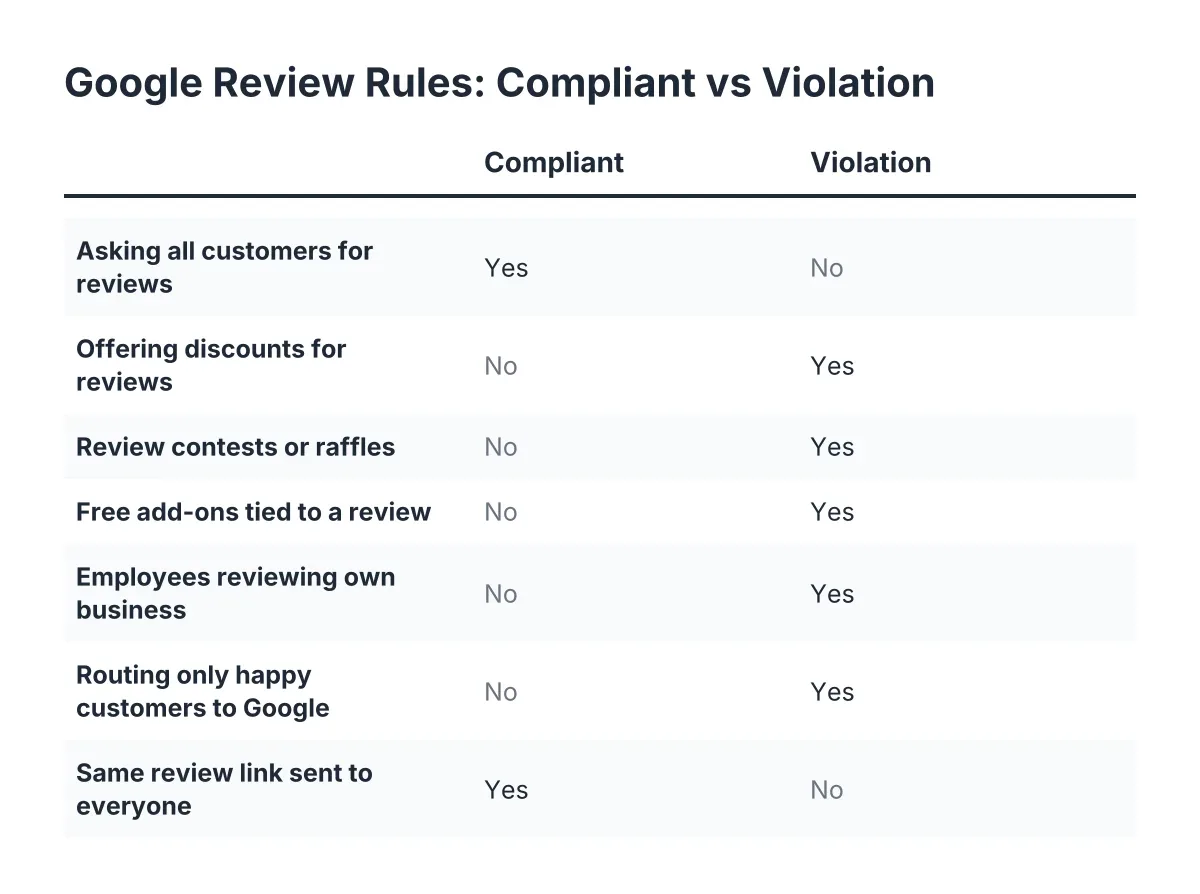
Review gating means asking only your happy customers for reviews while quietly steering unhappy ones away from Google. A common version: a survey asks "How did we do?" and only shows the Google review link to people who answer positively. Google's review policy bans this outright because it rigs the picture customers see. If a provider pitches you a "filter negative feedback first" feature, ask them directly whether every customer gets the same path to Google. The honest approach is to ask everyone and earn the stars.
Review Solicitation
Review solicitation is the act of asking customers to leave you a review. Google allows it, and smart businesses do it systematically rather than hoping reviews happen on their own. What crosses the line is bulk solicitation blasts to people who were never customers, or pairing the ask with pressure or rewards. A good provider automates the ask after a real transaction and leaves the content of the review entirely up to the customer.
Incentivized Reviews
Incentivized reviews are reviews given in exchange for something of value, like a discount, gift card, or contest entry. Google prohibits them whether the reward is for any review or only for positive ones. This matters because the penalty lands on your business, not the customer who took the deal. If a marketing company hints at "thank-you gifts for reviewers," walk away. The reviews won't survive, and your profile might not either.
Fake Reviews
A fake review is a review written by someone who never actually used the business, whether it praises you or trashes a competitor. Buying them is one of the fastest ways to lose your reviews, your ranking, or your whole profile. Google uses automated detection plus human moderation to catch them, and enforcement has gotten stricter year over year. Real reviews from real customers, collected consistently, beat a batch of purchased five-stars every time.
Conflict of Interest
A conflict of interest, in review terms, means reviewing a business you have a stake in: your own company, your employer, or a direct competitor. Google prohibits all of it, including asking your staff to post five-star reviews. Even well-meaning versions count, like a business partner "helping out" with a glowing review. Keep reviews limited to actual customers and you never have to think about this one.
Prohibited Content
Prohibited content is Google's list of what a review itself can't contain: spam, hate speech, harassment, off-topic rants, personal information, illegal material, and a few other categories. This cuts both ways. It constrains what reviewers can post about you, and it's your main tool for removing abusive reviews. A one-star review that's merely unfair usually doesn't qualify; a review with slurs or someone's home address usually does.
Handling Bad or Suspicious Reviews
When a review feels wrong, these are the terms you'll meet while figuring out what to do about it.
Review Removal and Google Review Policy
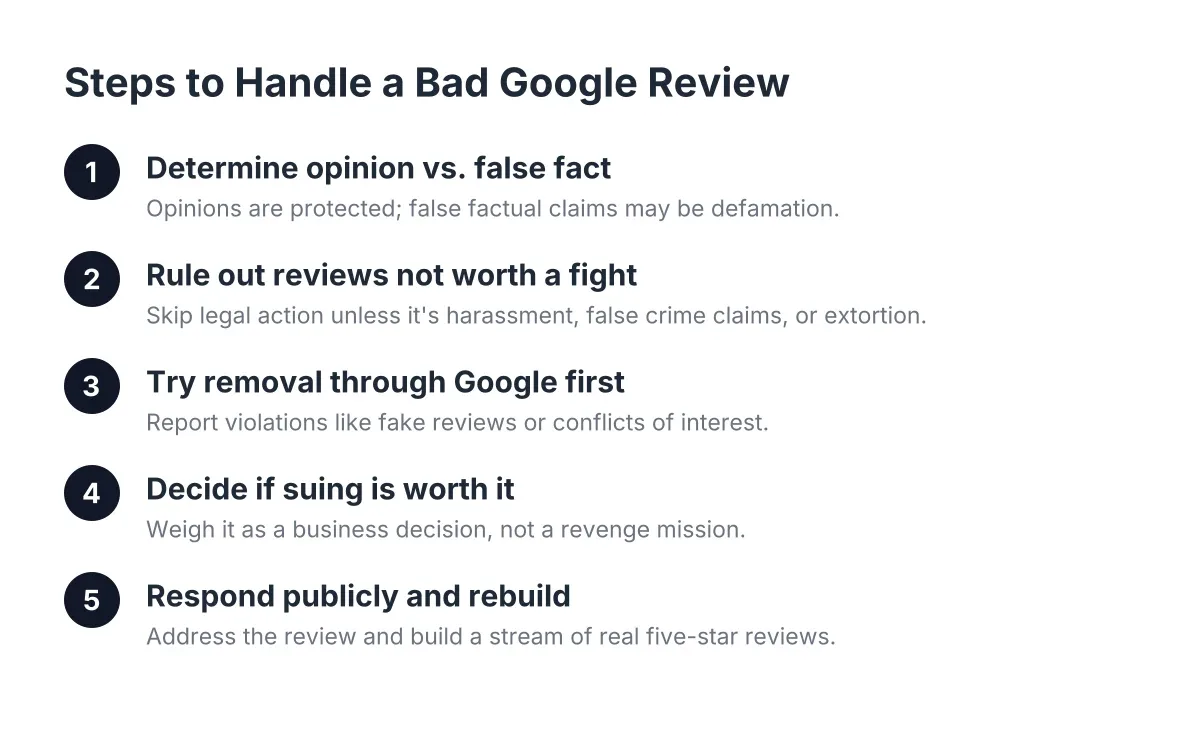
Review removal is the process of getting Google to delete a review that violates its rules. You can't remove a review just because it stings; it has to break a specific policy, like being fake, off-topic, or abusive. Removal requests go through Google's moderation, which can take days or weeks and often says no on the first pass. Anyone who promises guaranteed removal of any negative review is selling something Google doesn't offer.
Flagging a Review
Flagging a review means reporting it to Google as a possible policy violation so a moderator takes a look. It's the first step in review removal and takes about a minute from your Google Business Profile. Flagging doesn't hide the review while Google decides, and multiple flags from different people can sometimes help a borderline case get real attention. Keep your flag tied to a specific policy violation rather than "this customer is lying," which Google can't verify.
Owner Response
An owner response is the public reply a business posts under a customer's review. It's visible to every future customer who reads that review, which makes it less about the reviewer and more about everyone watching. A calm, specific response to a one-star review often does more for trust than three more five-stars. Respond to the good ones too; it signals you're paying attention.
Review Velocity
Review velocity is the pace at which new reviews arrive on your profile. A sudden spike, like 40 reviews in a weekend for a business that averaged two a month, can trigger Google's spam filters even when the reviews are legitimate. This is why steady, automated asking beats a one-time email blast to your whole customer list. Consistent velocity also signals to customers that your business is alive and busy right now, not just back in 2019.
Suspension
A suspension is Google pausing or hiding your Business Profile because it suspects a policy violation. Your listing can disappear from Maps and Search overnight, taking your reviews out of public view with it. Suspensions often follow fake-review activity, gating schemes, or sketchy profile edits, which is exactly why cutting corners on reviews is expensive. If a provider's tactics sound too clever, a suspension is the bill that eventually arrives.
Reinstatement
Reinstatement is the appeal process for getting a suspended Google Business Profile restored. You submit a request, provide proof your business is real and compliant, and wait for Google to review it. There's no guaranteed timeline, and repeat violations make approval harder. The cheapest reinstatement is the one you never need, which means playing by the rules from day one.
The Tools and Setup Behind Your Reviews
These terms describe the machinery: where reviews live and how businesses collect them without lifting a finger every time.
Google Business Profile
A Google Business Profile is your free business listing on Google, the thing that shows your hours, photos, location, and reviews in Search and Maps. It's where all your Google reviews live, so claiming and verifying it is step one before any review strategy makes sense. An unclaimed profile means someone else's info, or no info, is representing you. For most local businesses, this profile gets seen more than the website does, which is a reason to make both work together.
Review Link
A review link is the direct URL that drops a customer straight onto the "write a review" screen for your business. Without it, customers have to search for you, find your profile, and hunt for the review button, and most give up somewhere along the way. Every extra tap costs you reviews. Any decent review system puts this link one click away in a text or email right after the job's done.
QR Review Device
A QR review device is a physical item, like a card or stand at your counter, that customers scan with their phone to jump straight to your review page. It turns the moment a happy customer says "this was great" into a review before they walk out the door. It's the in-person version of a review link, and it works because it catches people at peak goodwill. We offer these as part of our Reviews plans for exactly that reason: the best time to ask is right now.
Review Automation
Review automation is software that sends review requests to your customers automatically after a visit, sale, or completed job. Instead of you remembering to text each customer, the system does it on a schedule, often with a polite follow-up if they don't respond. Done right, it keeps your review velocity steady and compliant; done wrong, it drifts into gating or spam. When you're evaluating a provider, ask two questions: does every customer get asked, and does the ask comply with Google's rules? Our standalone Reviews plans (Basic, Pro, and Growth) are built around a yes to both.
Using These Terms
You now have what this google review policy glossary is meant to give you: the vocabulary to read a review-management pitch line by line and know exactly what's being promised. When a provider mentions "feedback filtering" or "guaranteed removals," you'll know which questions to ask and which answers should end the meeting. Good reviews aren't a trick; they're a system, and now you can tell the difference.
If you need web design, Revenue Goblin can help.