How Google Analytics 4 Shows You Why Your Website Isn’t Converting Visitors
Your website gets traffic. Your phone stays quiet. Somewhere between "visitor lands on page" and "customer books a job", people are leaving, and you have no idea where. Google Analytics 4 is the free tool that shows you exactly where visitors bail, what they do before they leave, and which pages actually turn browsers into booked customers. For a local service business, that information is the difference between guessing why the site underperforms and fixing the specific thing that's costing you jobs.
This guide walks through how GA4 tracks visitor behavior, how to read the handful of reports that actually matter for a small local business, and how to connect what you find to the conversion fixes that move the needle. Spoiler for the second half: the most common fix isn't a redesign. It's trust, and most trade businesses are sitting on a pile of it (their reviews) without showing it where visitors can see it.
Why Your Website Gets Visitors but No Calls
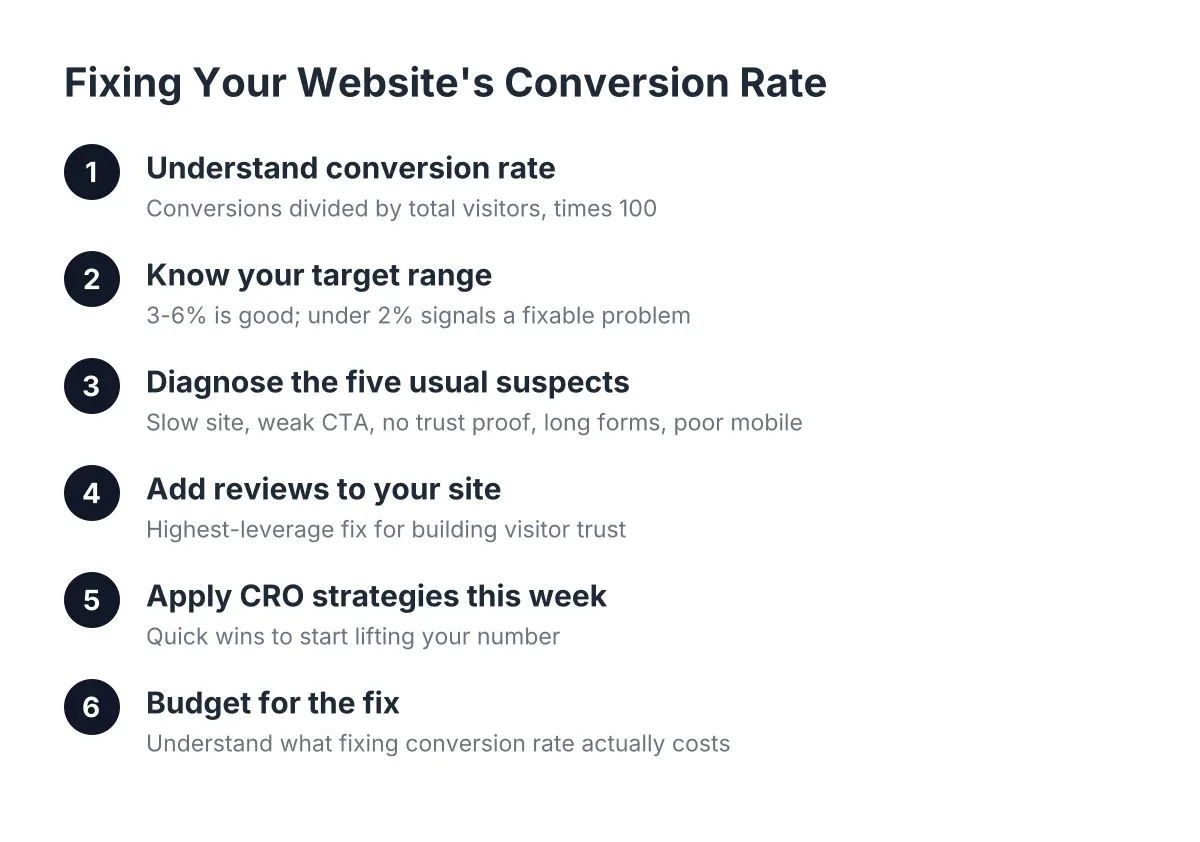
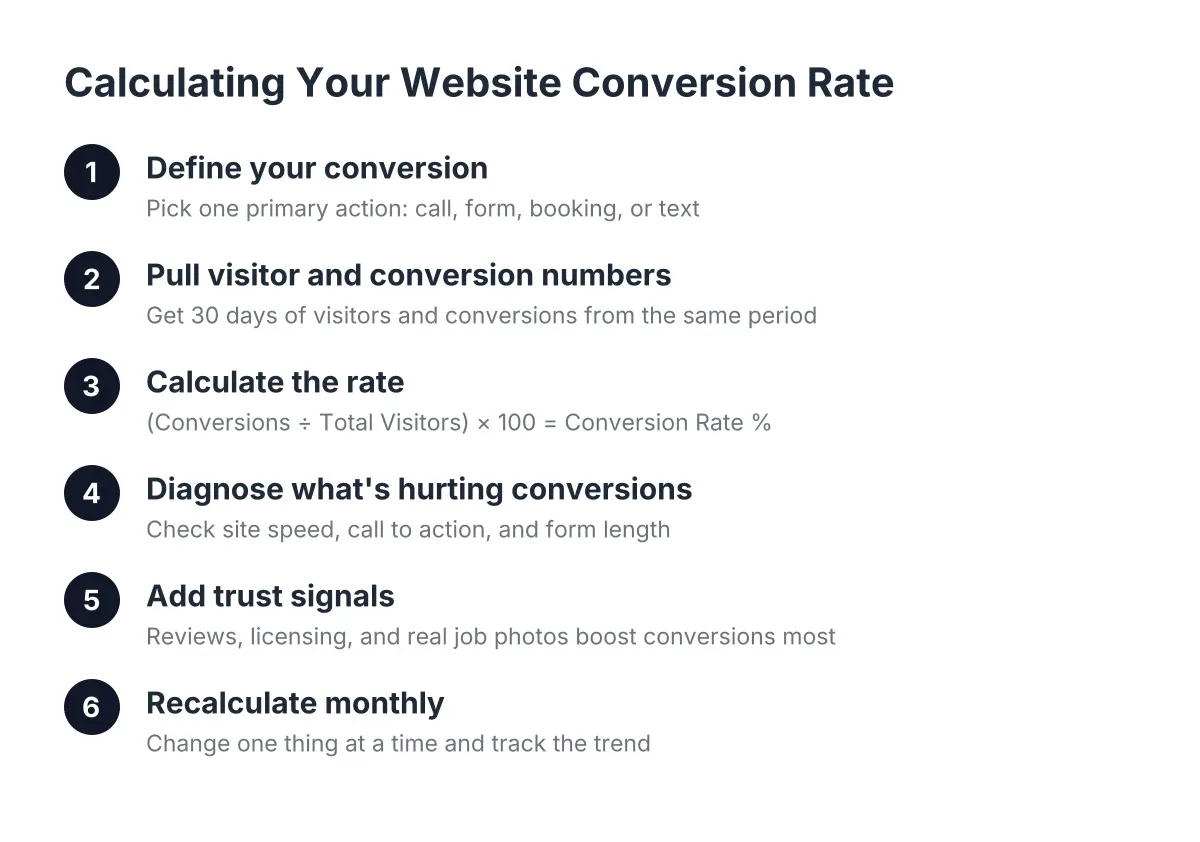
Before opening any analytics tool, it helps to name the problem correctly. A website that gets traffic but generates no leads has a conversion problem, not a traffic problem. Conversion rate calculation is simple: divide the number of people who took the action you wanted (called, filled out a form, booked online) by the total number of visitors, then multiply by 100. If 200 people visited last month and 4 called, that's a 2% conversion rate.
For most local service businesses, the leaks come from a short list of causes:
- The site loads too slowly on phones, so people leave before seeing anything
- There's no obvious next step (no click-to-call button, buried contact form)
- The visitor can't tell whether to trust you (no reviews, no photos of real work, no license or insurance info)
- The page they land on doesn't match what they searched for
- The contact form asks for too much and gets abandoned
Every one of those problems leaves fingerprints in your analytics data. That's where Google Analytics 4 earns its place, even for an owner who would rather be on a roof than in a dashboard.
How Google Analytics 4 Tracks Visitor Behavior
Google Analytics 4, usually shortened to GA4, records what visitors do on your website as a stream of events. A page view is an event. A scroll is an event. Additionally, a click on your phone number is an event. Furthermore, a form submission is an event. This event model is the core difference between GA4 and the older Universal Analytics it replaced in 2023, which mostly counted page views and sessions.
For a business owner, the practical upside is this: GA4 tracks behavior, not just visits. It can tell you that 300 people landed on your homepage, 180 scrolled past the first screen, 40 visited your services page, and 6 tapped the phone number. That's a funnel, and each drop-off point is a specific place to investigate.
What GA4 Tracks Automatically
Out of the box, with a feature called enhanced measurement turned on (it usually is by default), a google analytics 4 property records:
- Page views and which pages get them
- Scroll depth (whether visitors reach 90% of the page)
- Outbound clicks to other websites
- Site search, if your site has a search box
- File downloads
- Video engagement for embedded videos
In addition, GA4 records where each visitor came from: Google search, Google Maps, Facebook, a direct visit, or a link from another site. For a local business, this matters because it tells you whether your Google Business Profile and local SEO are pulling their weight or whether all your traffic comes from people who already know your name.
Sessions, Users, and Engagement, in Plain English
GA4 uses a few terms worth translating. A user is one person (technically one browser or device). A session is one visit. An engaged session is a visit that lasted at least 10 seconds, included a conversion, or included two or more page views. Engagement rate is the share of sessions that were engaged.
Engagement rate is the number to watch. If it's low, visitors are landing and leaving almost immediately, which usually points to slow load times or a page that doesn't match what they searched for. Speed is a bigger deal than most owners realize; according to Google, 40% of consumers will abandon a webpage that takes longer than three seconds to load. Google's data also shows that median mobile load times for sessions where users bounced were about 2.5 seconds slower than sessions where they didn't. Your slow site isn't just annoying people. It's ending visits before they start.
Setting Up Google Analytics 4 to Measure What Matters
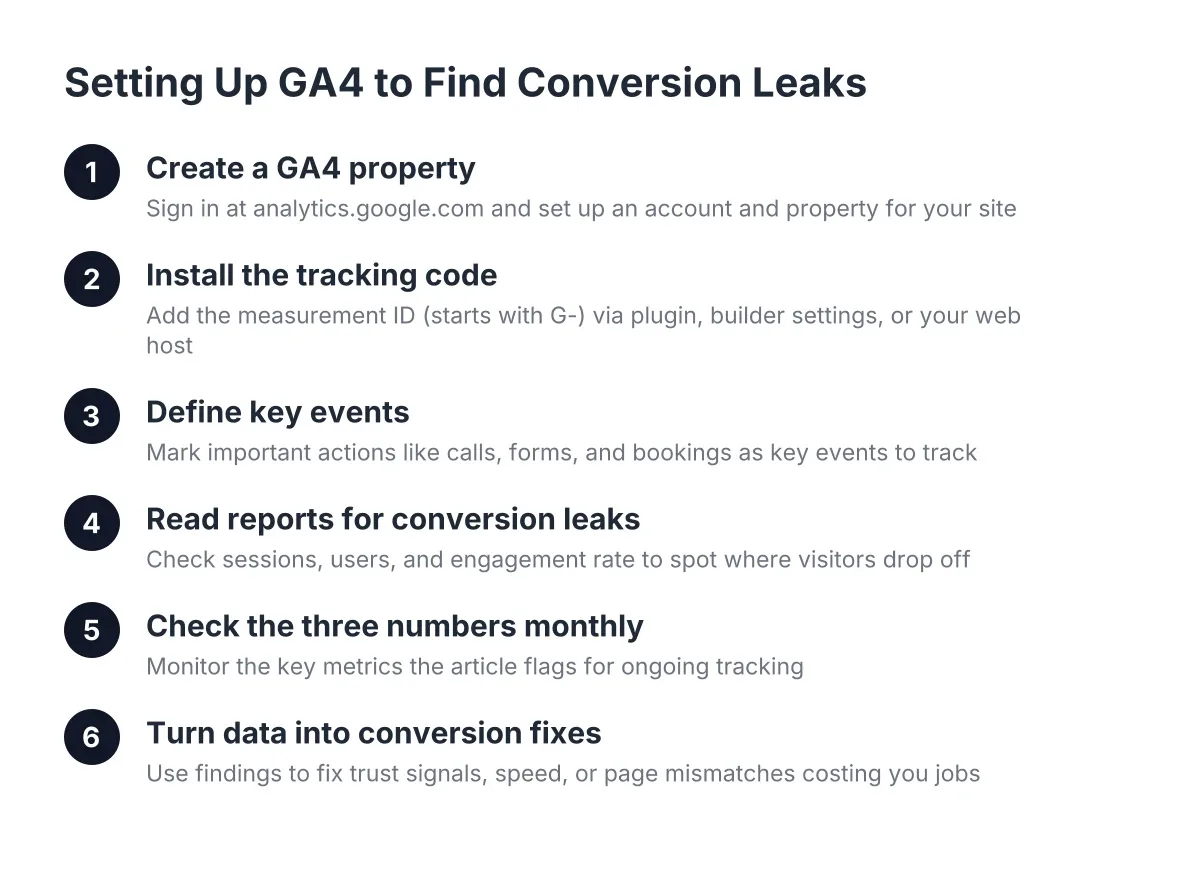
Setting up GA4 for a local service business takes three steps: create a property, install the tracking code, and mark your important actions as key events. The whole process takes under an hour for most sites, and the tool itself is free; the cost of Google Analytics 4 for a small business is zero, since the paid version (Analytics 360) is built for enterprises.
First, sign in at analytics.google.com with a Google account (the same login works for your Google Business Profile). Create an account, then a Google Analytics 4 property for your website. GA4 will give you a measurement ID, a code starting with "G-", which identifies your site to Google.
Next, install that measurement ID on your website. On WordPress, a plugin like Site Kit by Google handles it. On most builders (Squarespace, Wix, Webflow), you paste the ID into a settings field. If someone else built and hosts your site, this is a five-minute request to whoever manages it. If your web partner won't do it or can't explain what's installed, that's worth noting; you should always own and have access to your own analytics.
Finally, and this is the step most small businesses skip, define your key events. GA4 calls conversions "key events" as of its current setup, and by default it doesn't know what a conversion means for your business. You have to tell it.
The Key Events Every Service Business Should Track
For an HVAC company, plumber, landscaper, or any local trade, the list is short:
- Phone number clicks. Most of your mobile visitors will call, not fill out a form. Track taps on your click-to-call button or linked phone number.
- Form submissions. Track the thank-you page or the form submit event, not just visits to the contact page.
- Booking or quote-request clicks. If you use an online scheduler, track clicks into it.
- Direction requests or map clicks, if customers visit your location.
Once these are marked as key events, GA4 can answer the question that actually matters: which pages and traffic sources produce customers, not just visitors. Traffic from Google search might convert at 5% while traffic from a Facebook boost converts at 0.5%. Without key events, both just look like "visits."
One honest caveat: GA4 can't see phone calls that come straight from your Google Business Profile listing, and it undercounts visitors who block tracking. Treat the numbers as directional, not gospel. If your revenue depends on precise call attribution, a call tracking service or a professional setup is worth the money.
Reading GA4 Reports to Find Your Conversion Leaks
Reading GA4 for conversion problems comes down to three reports: traffic acquisition (where visitors come from), pages and screens (what they look at), and key events (what they do). Compare those three and the leak usually reveals itself in twenty minutes, no certification required.
That said, if you want to go deeper, Google offers a free Google Analytics 4 certification through its Skillshop platform, and there's a GA4 demo account loaded with sample data you can poke around in without touching your own numbers. Neither is required to get value. For a solo operator, the goal is a monthly twenty-minute check, not a new career in analytics.
Here's an illustrative scenario. Say a roofing contractor in a mid-size town gets 400 visitors a month and two form fills. He opens GA4 and finds three things. First, 70% of traffic is mobile, but mobile engagement rate is 28% versus 61% on desktop; the mobile site is slow or broken. Second, his "Roof Repair" page gets 150 views but zero key events; there's no phone button on that page, just a generic footer. Third, his highest-converting traffic comes from Google organic search, but his best-margin service, full replacements, has no dedicated page ranking for it.
In that scenario, GA4 didn't fix anything. It turned "my website doesn't work" into three specific, fixable problems, each worth real money. That's the entire job of the tool.
The Three Numbers to Check Monthly
Keep the routine simple:
- Engagement rate by device. If mobile lags desktop badly, fix speed and mobile layout first.
- Key events by landing page. Pages with traffic but no conversions need a stronger call to action or trust signals.
- Key events by traffic source. Double down on sources that convert; stop paying for ones that don't.
There are dozens of conversion rate optimization tools that layer on heatmaps, session recordings, and A/B testing, and they're useful once the basics are handled. But GA4 alone, read monthly, catches the big leaks. Most of the ecommerce conversion rate optimization playbook (checkout funnels, cart abandonment tracking) doesn't apply to a service business anyway; your funnel is landing page, trust check, phone call.
Turning GA4 Data Into Conversion Fixes
GA4 tells you where visitors leave. Fixing why they leave is website conversion optimization, and for local service businesses the fixes cluster into four buckets: speed, calls to action, forms, and trust. Work them in that order, because a slow site undermines everything downstream.
Speed. Compress images, drop autoplay video backgrounds, and use decent hosting. Given Google's finding that 79% of shoppers dissatisfied with a site's performance are less likely to buy from that site again, speed isn't a technical nicety. It's a first impression you don't get back.
Calls to action. The best call to action for a service business website is a phone number that's tappable, visible without scrolling, and repeated on every page. "Call for a Free Estimate" beats "Learn More" every time. If GA4 shows a page with traffic and no key events, the fix is usually this simple: put a clear next step on that page.
Forms. Ask for name, phone, and a one-line description of the job. Every extra field costs you leads. Track form starts versus completions in GA4; a big gap means the form itself is the leak.
Trust. This is the bucket most owners underweight, and it's usually the biggest one.
Reviews Are the Trust Signal Your Analytics Can't Fake
Here's the pattern GA4 reveals over and over on local service sites: visitors land, scroll, click to the about page or reviews page, then leave without calling. They weren't bored. They were looking for proof and didn't find enough of it. A homeowner about to hand a stranger $8,000 for a new AC unit isn't comparing your font choices to your competitor's. They're comparing evidence that you're legit.
That evidence is overwhelmingly reviews, and overwhelmingly Google reviews. According to Exploding Topics, Google hosts about 73% of all online reviews, more than six times its nearest competitors combined. If your Google review count is thin, or your reviews live only on your Google Business Profile and never appear on your actual website, you're making visitors do extra work to trust you. Most won't bother.
The fixes are concrete:
- Embed your recent Google reviews directly on your homepage and service pages, not on a separate "testimonials" page nobody visits
- Put your review count and star rating near your phone number, where the decision happens
- Add photos of real jobs, your license number, and insurance info alongside the reviews
- Build a system to ask every happy customer for a review, because a rating from 2019 with 11 reviews loses to a competitor with 140 recent ones
Then watch GA4. If you add review widgets to your service pages and key events on those pages climb over the next 60 days, you've confirmed the leak and the fix with data instead of a hunch. That feedback loop, change one thing, measure the result, is the whole discipline of conversion work compressed into a habit.
There's a broader point hiding here. Too many great businesses lose to bigger, worse ones simply because the worse ones look more trustworthy online. Your work might be better. Your reviews might even be better. But if the visitor can't see that in the eight seconds they give your site, the other guy gets the call. GA4 shows you where that's happening; social proof is usually what fixes it.
Is GA4 Enough, or Do You Need More?
For most local service businesses in 2026, Google Analytics 4 plus a Google Business Profile covers 90% of what you need to measure. It's free, it tracks the behaviors that matter, and it answers the core question: which pages and sources produce customers.
Consider adding tools when specific gaps show up. Call tracking software fills GA4's phone-call blind spot. Heatmap tools show where people actually click when GA4's numbers don't explain a page's failure. A review automation platform handles the ask-every-customer problem that no analytics tool solves. What you don't need is an enterprise analytics stack, a paid GA4 course, or a Google Analytics 4 certification hanging on your office wall. The free training exists if you're curious, but a monthly twenty-minute look at three reports beats a credential you never use.
The fair trade-off to acknowledge: GA4 has a learning curve, its interface frustrates plenty of professional marketers, and its data is directional rather than exact. If staring at dashboards genuinely isn't going to happen, having your web partner send you a plain-English monthly summary is a legitimate alternative to doing it yourself. The point was never the tool. The point is knowing why visitors don't become customers, and fixing it before your competitor does.
Start this week: confirm GA4 is installed on your site, mark phone clicks and form submissions as key events, and check back in 30 days. The data will tell you where the leak is. Odds are good the fix involves showing visitors the five-star proof your customers have already given you.
If you need web design, Revenue Goblin can help.